The "Primer Match Finder" tool allows users to identify matches between their primer sequences and the MIrROR database efficiently.
Accessing and Inputting Data
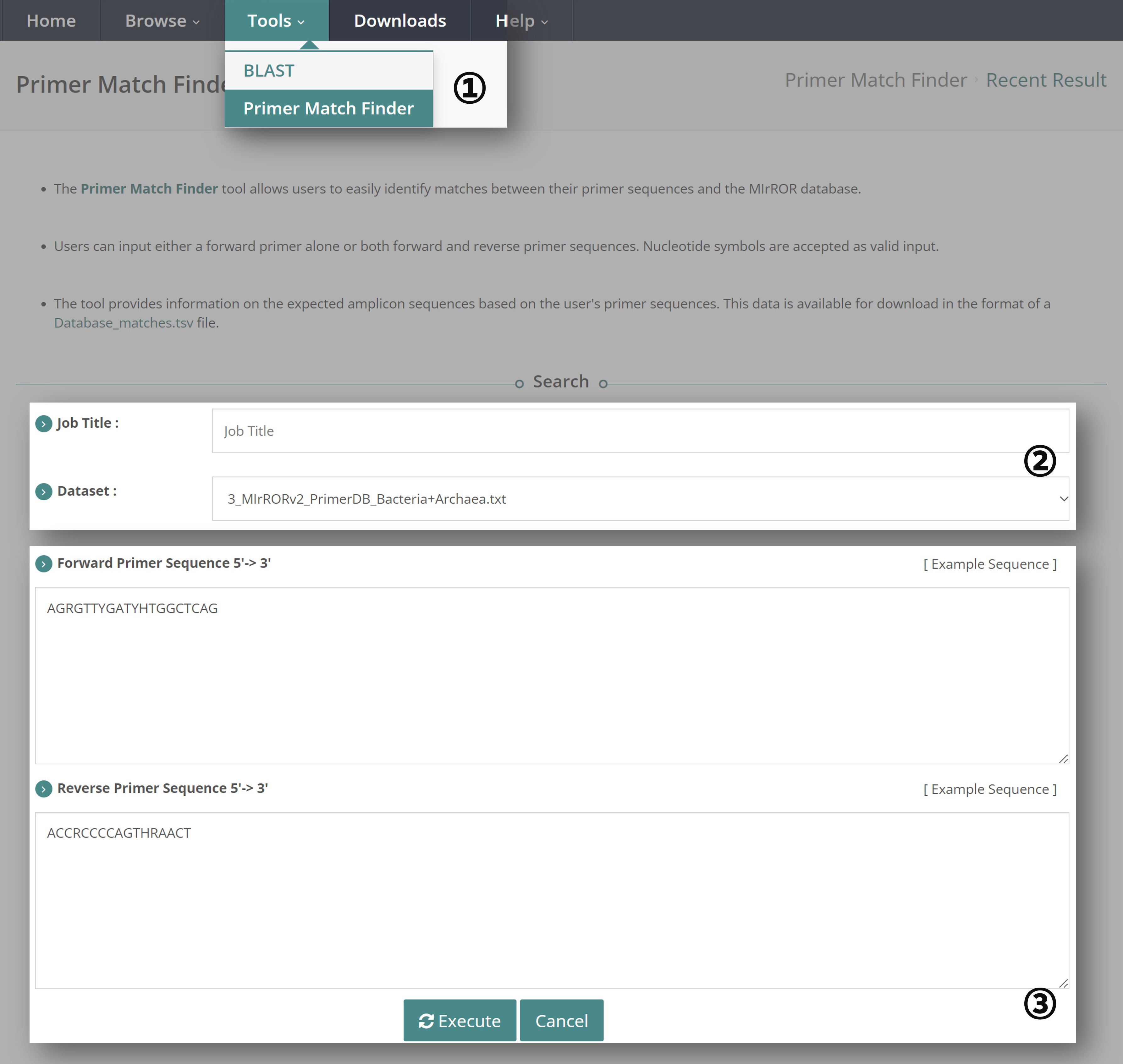
① Navigate to the "Tools" tab and select "Primer Match Finder Tool".
② Enter the "Job Title". The available datasets to choose from are:
- MIrROR v.2.0 Bacteria DB
- MIrROR v.2.0 Archaea DB
- MIrROR v.2.0 Bacteria+Archaea DB
③ Enter both the forward and reverse primer sequences, then click "Execute". Ensure the primer sequences are entered in the 5' -> 3' direction and that nucleotide symbols (e.g., A, T, G, C) are accepted as valid inputs.
Viewing Results

④ "Primer Match Info" will display the following:
- Job ID: A randomly assigned ID.
- Title: The title entered by the user for the Primer Match Finder job.
- Dataset: The dataset selected by the user.
- Primer: The primer sequences entered by the user. If you want to see all possible primer sequences considering nucleotide symbols, download the "Query_primer_sequences.txt" file from section ⑦ "Download".
⑤ In the "Summary" section, you can view information about the operon sequences, genomes, and species matched with your primers. It will also provide the average length and length range of the potential amplicon sequences. If you want to know the specific amplicon sequences, download the "Database_matches.tsv" file from section ⑦ "Download".
Taxonomic Profiling

⑥ View the matching results categorized by taxonomy level (Phylum, Class, Order, Family, Genus, Species) in a pie chart format.
Download

⑦ You can download the following files:
- Query_primer_sequences.txt: If you entered primer sequences with nucleotide symbols, this file shows all possible primer combinations.
- Database_matches.tsv: This file contains all matching information, including Accession, GenBank Accession, Operon Number, Taxonomy, Amplicon Sequence, Amplicon Length, Forward Primer, and Reverse Primer.
