The "Browse" function allows users to explore all operon sequences covered by the MIrROR Database version 2.0, categorized by genome and taxonomy.
Accessing the Browse Page
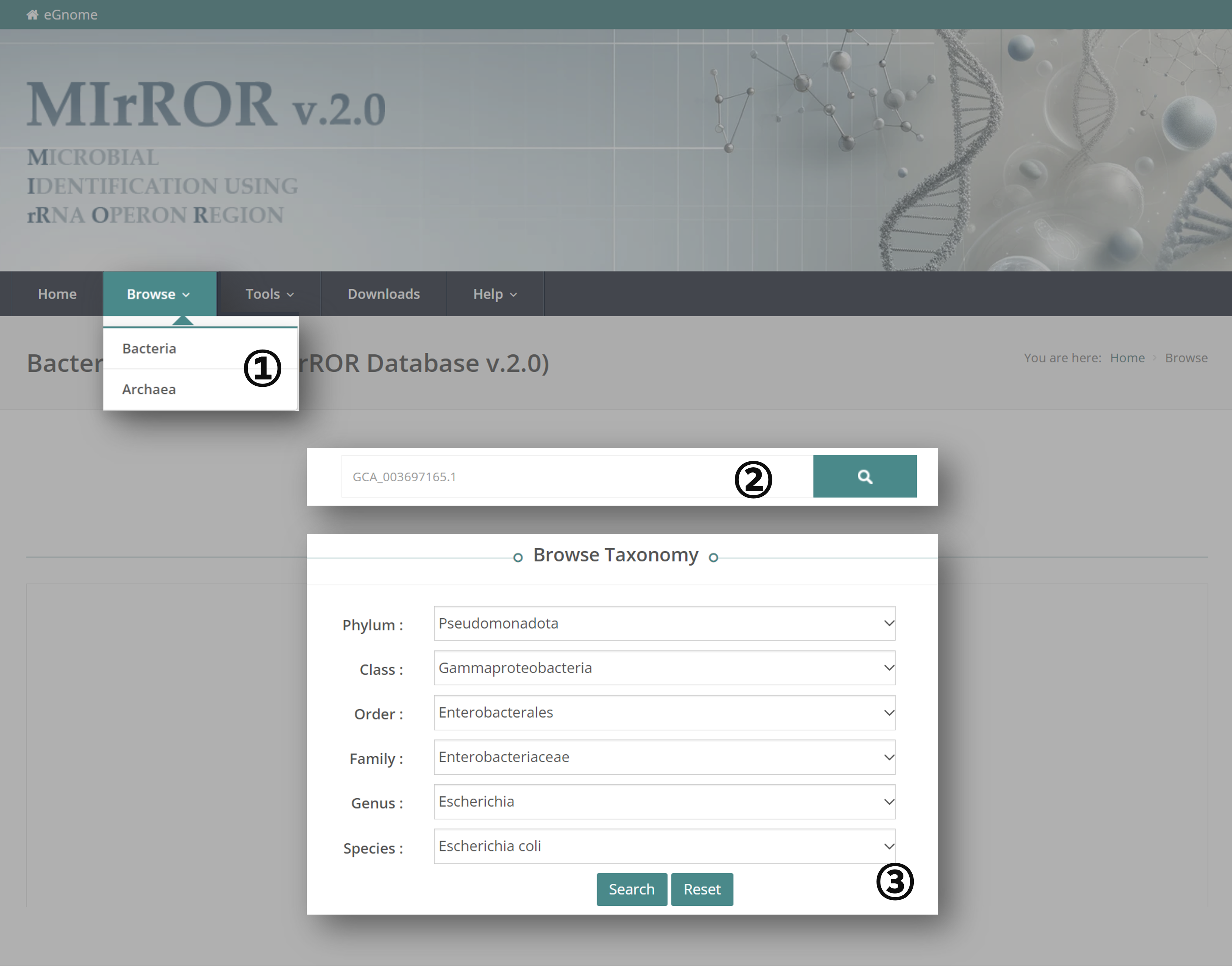
① Navigate to the "Browse" menu and select either "Bacteria" or "Archaea".
② You can search by entering the accession number or the scientific name. Scientific names are based on NCBI and GTDB taxonomy information.
③ If you are unsure of the spelling of a specific taxon, use the "Browse Taxonomy" feature. Taxonomic names are assigned based on GTDB taxonomy. When a higher taxonomic level is specified, only the corresponding lower levels can be searched. Click the "Reset" button to clear your selection.
Viewing Results
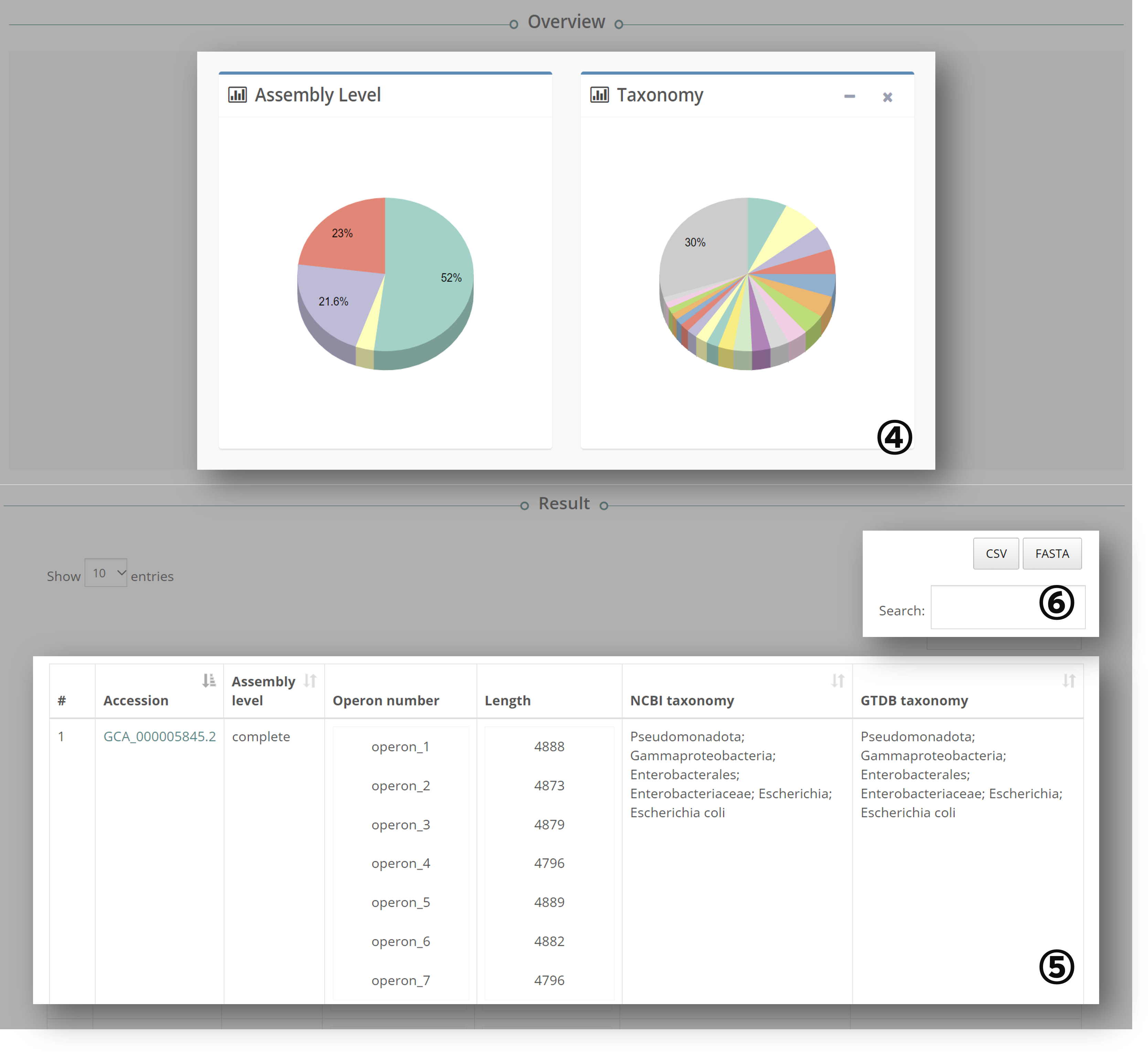
④ The information about the genome is summarized in pie charts:
- Assembly Level: Based on NCBI genome assembly.
- Taxonomy: Taxonomic name based on GTDB.
⑤ The 16S-23S rRNA operon information for each genome is listed in a table:
- Accession: NCBI genome accession number.
- Assembly Level: NCBI genome assembly level.
- Operon Number: Information on the operon copy number in the genome.
- Length: Size of the 16S-23S rRNA operon sequence.
- Taxonomy: Taxonomic name based on NCBI and GTDB taxonomy.
⑥ Users can download information about the searched records:
- CSV: Download the table in CSV format.
- FASTA: Download the 16S-23S rRNA operon sequence of the searched genome.
- Search: Users can search within the results.
Detailed Genome and Operon Information

⑦ Clicking on the Accession number opens a new window with more detailed information about each genome:
- Curated Operon Count: The number of 16S-23S rRNA operon sequences identified in the genome that range from 3500 bp to 7000 bp, curated to remove sequences with ambiguous nucleotides, redundant sequences within the genome, and redundant or similar sequences across different species.
- Uncurated Operon Count: The total number of 16S-23S rRNA operon sequences identified in the genome that range from 3500 bp to 7000 bp.
- Taxonomy: Clicking on the arrow buttons next to these entries will direct you to the respective sites for more information.
⑧ Detailed information about curated operons can be viewed. Clicking the "+" button reveals the entire sequence, which can be copied.
